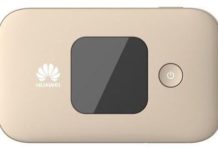
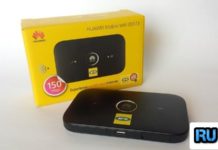
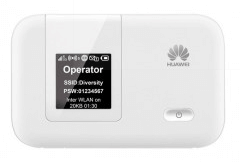
MEO – Serviços de Comunicações e Multimédia SA (formerly known as TMN) is a well-known network in Portugal. TMN Meo recently launched the Huawei E5372s-32 model modem in Portugal. Today, I have unlocked one Huawei E5372s-32 TMN Meo Portuguese mobile WiFi router, which comes with firmware version 21.270.09.00.84. Before I had unlocked the E5372 of the Switzerland Sunrise network, if you have recently purchased Huawei E5372s-32 TMN mobile Mi-Fi or planning to purchase it, you should be aware it comes pre-locked to TMN Meo Portuguese network. You can not use another network SIM in it without unlocking E5372s-32.
How long we need to wait for a Huawei unlock code?
The approximate delivery time for a Huawei unlock code is 10 minutes to 8 hrs.
The average response time for a Huawei unlock code is 30 minutes (based on the last 100 orders).
How to unlock Huawei E5372s-32 TMN Meo Portuguese Mobile WiFi Router?
1. Make sure your Huawei E5372s-32 TMN Meo Portuguese mobile WiFi router is fully charged.
2. insert a nonacceptable Network SIM card on your Huawei E5372s-32 WiFi router (You have to use another network provider sim, which is currently locked to).
3. After changing another network provider’s SIM on your Huawei WiFi / MiFi, switch the device on. It will display “Invalid SIM” because you have used another network provider’s sim.
4. Now, establish a WiFi connection to Huawei E5372s-32 TMN Meo Portuguese mobile WiFi router with your PC / IPAD / iPhone / Android device.
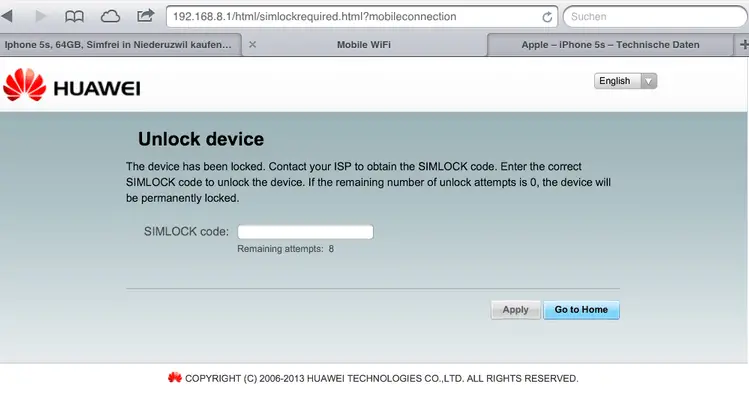
5. Connect the Huawei E5372s-32 router with the PC and log in to the device’s dashboard. Go to Advanced Settings – SIM Settings – Unlock Device – Enter Unlock Code – Click on Apply.
or,
Open the Settings – Dial-up – Unlock SIM card – Enter 8-digit unlock code on your Huawei E5372 WiFi router. Click OK, and the device will reboot to display the new network.
Now your Huawei E5372s-32 TMN Meo Portuguese mobile pocket router is unlocked forever.