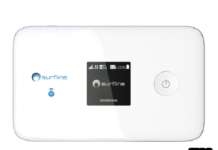
Huawei E5577s-321 (locked to Zain Saudia Arabia) devices running firmware version 21.200.05.00.375 can be unlocked with standard procedure, which means after changing the firmware, unlocking is possible. But, other sub-models of E5577 do not allow the change of the firmware. Either the devices are giving Error 19 or asking for the data lock code. In both cases, you can’t unlock the Huawei E5577.
Note: There is no need to boot shot of any Huawei E5577 router. Just log in to the device and copy system information in the comment box. Our team will provide the direct unlocking solution.
This post is especially for those people who are owning E5577s model devices. This procedure also works with 5577Cs. Zain Zordan/Bahrain is also offering the E5577s-321, but it comes with firmware version 21.200.07.02.1367 and Web UI version 17.100.11.03.1367; it can be unlocked by simply changing the firmware. There is no need to take the help of a boot shot.
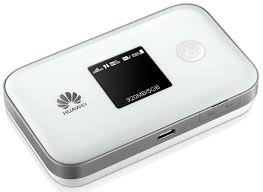
Requirements to Unlock Huawei E5577s MiFi Router:
1. Screwdrivers set to dismantle the device.
2. Windows PC to change the firmware.
3. Huawei Mobile Partner (for drivers).
4. DC-Unlocker.
5. Universal Master Code tool (to generate the firmware code).
6. WinRAR to extract the zip file.
7. Balong tool.
9. Huawei E5577s-321 Firmware version 21.180.99.03.00.
10. Huawei E5577s-321 Firmware version 21.316.01.00.00.
How to Unlock Huawei E5577s MiFi Router?
1. Switch Off E5577s.
2. Dismantle it and let the battery inside.
3. Touch the boot pin and ground of the board from any tweezer/wire.
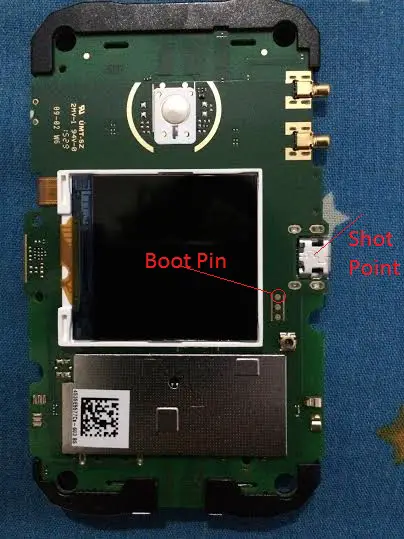
Note: Interested people can refer to the boot pin of different devices here.
4. Connect USB to E5577s and then with the PC USB port.
Note: If a sound-card is available on your Windows PC or laptop, you can hear a sound. You will see the same time in the taskbar notification area, some hardware is found, and it will try to install the drivers.
5. Remove wire/tweezer from the device.
6. Install Huawei Mobile Partner in PC.
If you are interested, you can see one COM port of the Huawei device under the PC’s device manager.
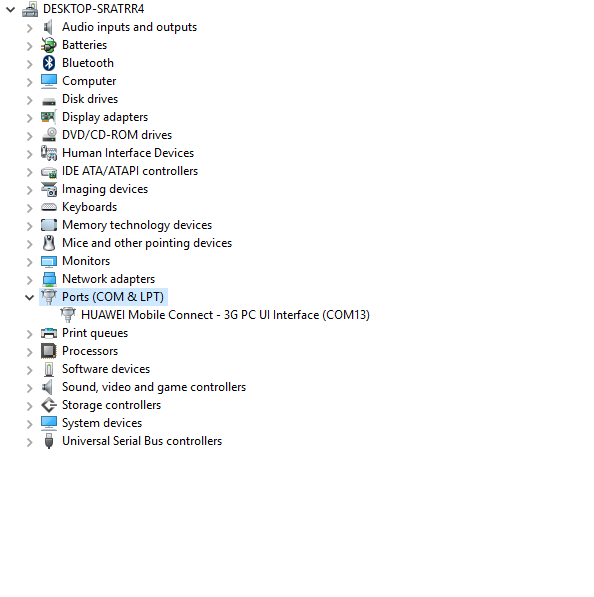
7. Run the “Balong USB Downloader” tool.
8. Click on Detect button.
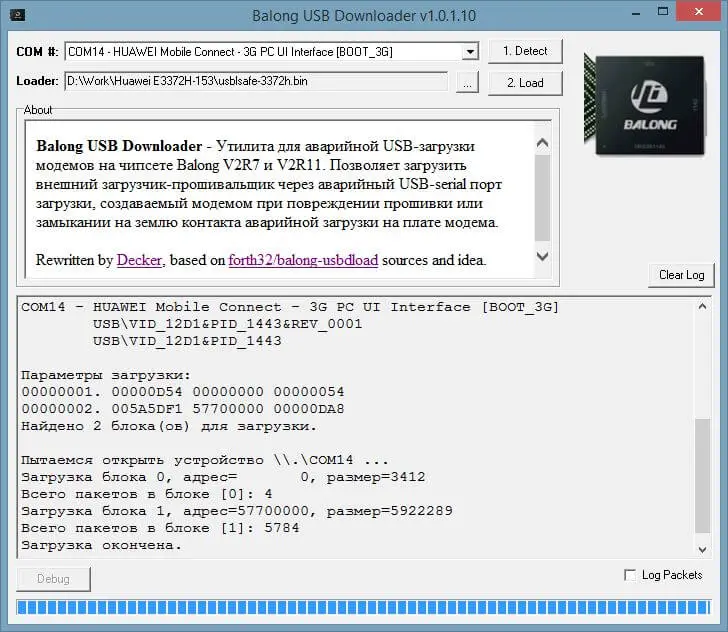
9. It will detect the COM port of your device as Boot_3G.
10. Under Loader, locate the E5577s_Usbloader.bin file.
11. Once ready, then click on Load.
12. Wait till the progress bar reaches the end.
13. Now, you will notice that other new hardware is found on your PC, and it is installing.
14. Close the “USB Balong” tool.
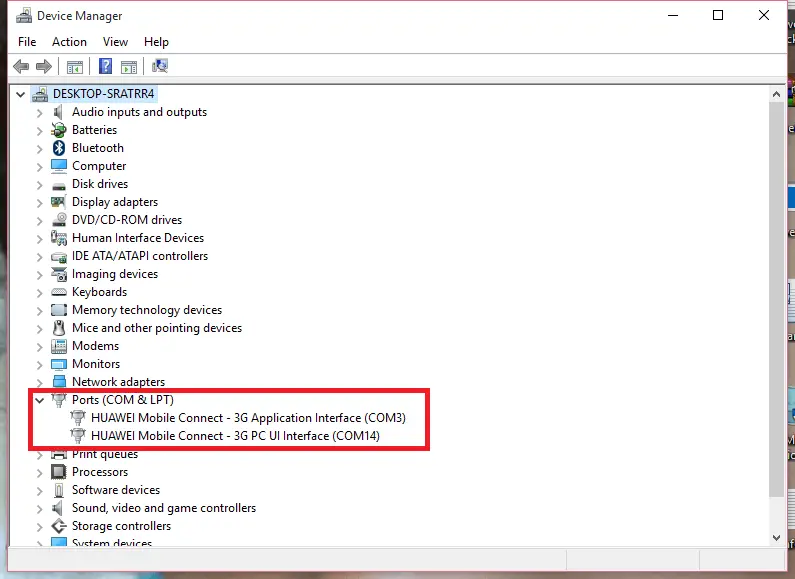
15. Now, you can see two COM ports under the device manager.
16. Unzip the file Huawei E5577s-321 Firmware version 21.180.99.03.00 and run it.
17. Let it successfully update the device.
18. Now run the DC unlocker tool.
19. Detect your device under it.
20. At the end of the result, paste the following:
AT^NVRDEX=50503,0,128
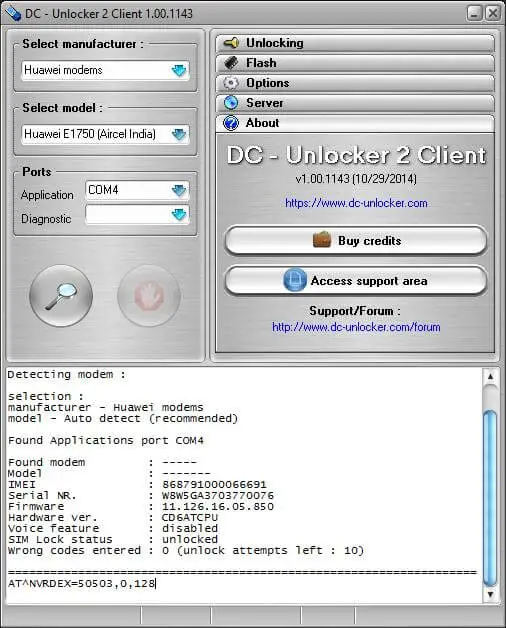
21. Copy the whole results in text and pay 6 USD through this website’s PayPal button. Once paid, I will contact you through email and will ask you for details. Rest all the errors will be solved remotely.
Note: The method has been tested and working fine with Huawei E5577s and E5577Cs modems. However physical reset button will not work.
Update: German Telekom is providing Huawei E5577Cs-321, which comes with firmware 21.316.01.01.748 and WebUI 17.100.15.00.748. It can be unlocked with the above-mentioned procedure only.
Read: How to Unlock Huawei E5577Cs-321 Router of Optimus Portugal?