Novatel Wireless is a popular manufacturer. I had previously shared details about Novatel Wireless Ovation MC679 4G LTE USB Modem. In this article, I will show “How to Connect Internet in Novatel Wireless 3G Modems to Macintosh OS X v10.5.x (Leopard) with Apple Drivers”. Novatel Wireless 3G modems come pre-loaded with Mac OS X drivers; hence I will guide you further to set up the connection in Mac OS Leopard. If any software or updated drivers will be available on the official website, then it will be shared in the future also.
How to Connect Internet in Novatel Wireless 3G Modems to Mac OS X (Leopard) with Apple Drivers?
1. Power on your Apple computer and insert the modem into the computer interface.
2. The modem will be automatically detected by Mac PC.
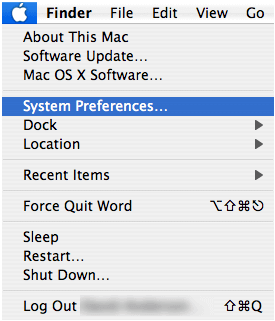
3. Select System Preferences from the Apple () menu.
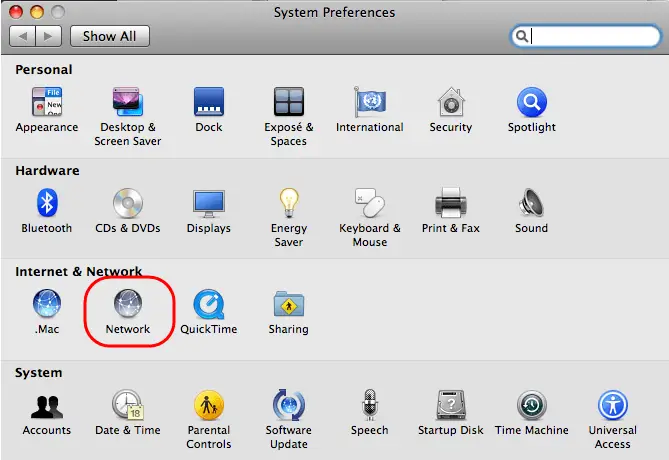
4. Click the Network button in the System Preferences window.
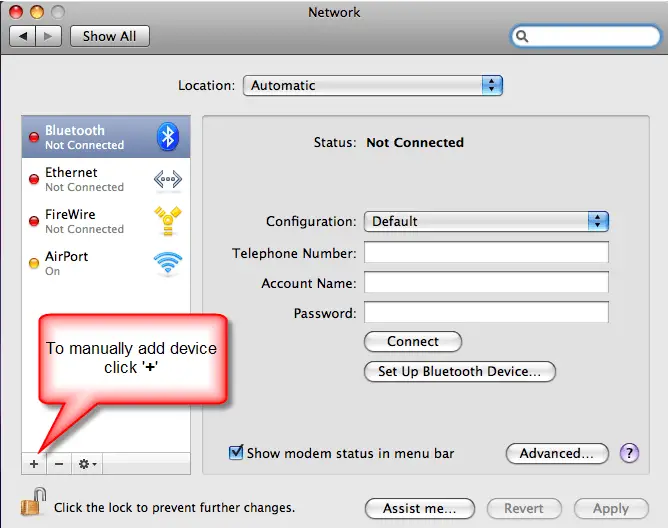
5. If Novatel Wireless HSDPA or HSUPA device shows in interface list on the left of the screen, skip to next 9,
otherwise, click on ‘+.’
6. Select the Novatel Wireless CDMA from the Interface pulldown.
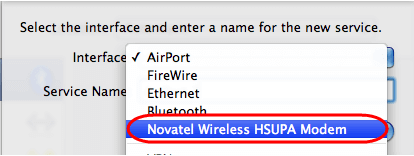
7. Now, change the default Service Name and click Create.
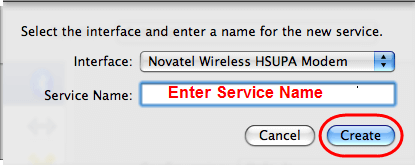
8. Now, create a configuration.

9. In the Network window, select Advanced to configure Modem to connect to the network.
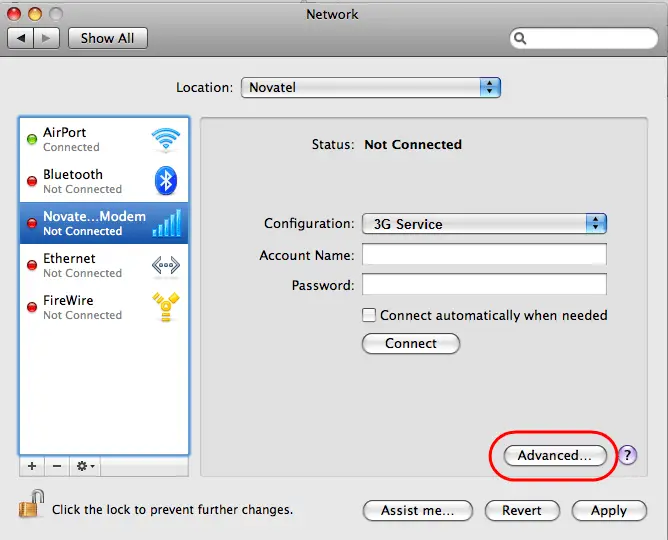
10. Here, Click the Advanced… button. Change the Vendor to Novatel. Click OK. Again, click the Advanced… button. Change the Model to GSM. Click OK.
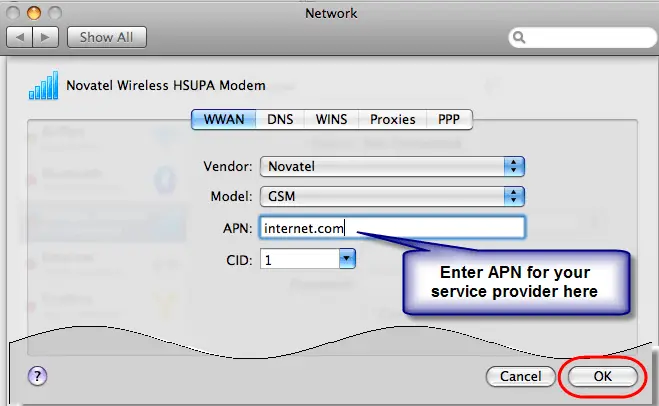
11. Click the Apply button and close System Preferences.

Now, you have successfully created an internet connection setting on your PC. Now, it’s time to connect to the internet. Click the WWAN icon in the menu bar and select Connect… to connect to the internet and if already connected to the internet, then Click the WWAN icon in the menu bar and select Disconnect…