Recently Huawei has launched a new router, Huawei B310s-518, with firmware Version 21.333.01.00.46. The sub-model of Huawei B310 comes with higher security, and people are using the boot shot method to unlock this router. Our team has developed an unlocking file for firmware version 21.333.01.00.46, without boot shot/opening the screws. This solution has not been tested and working 100%. Once the router is upgraded with our modified unlocked firmware, it should be unlocked by all network provider SIM cards worldwide.
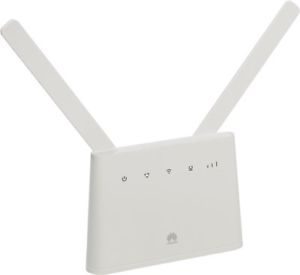 Before proceeding with further steps, download the following required files, which is required to unlock Huawei B310s-518 [Firmware 21.333.01.00.46]:
1. Download the Multicast Upgrade Tool.
2. Unlocked Firmware 21.333.01.00.46 of Huawei B310s-518 (Charge is 10 USD for personal use, which you can pay here).
How to Unlock Huawei B310s-518 [Firmware 21.333.01.00.46]?
1. Extract both downloaded files using WinRAR.
2. Switch On Huawei B310s-518 and connect to a PC with LAN cable.
3. It will automatically open the default page of the router.
4. From Menu, click on “Local Update.”
5. Browse for the BIN file from the unlocked firmware folder.
6. Select the B310s-518 BIN file and update the router; wait to restart.
In case you don’t find a local update, then proceed with further steps:
7. Remove the B310s-518 router from the computer.
8. Switch off the Huawei B310s-518 router.
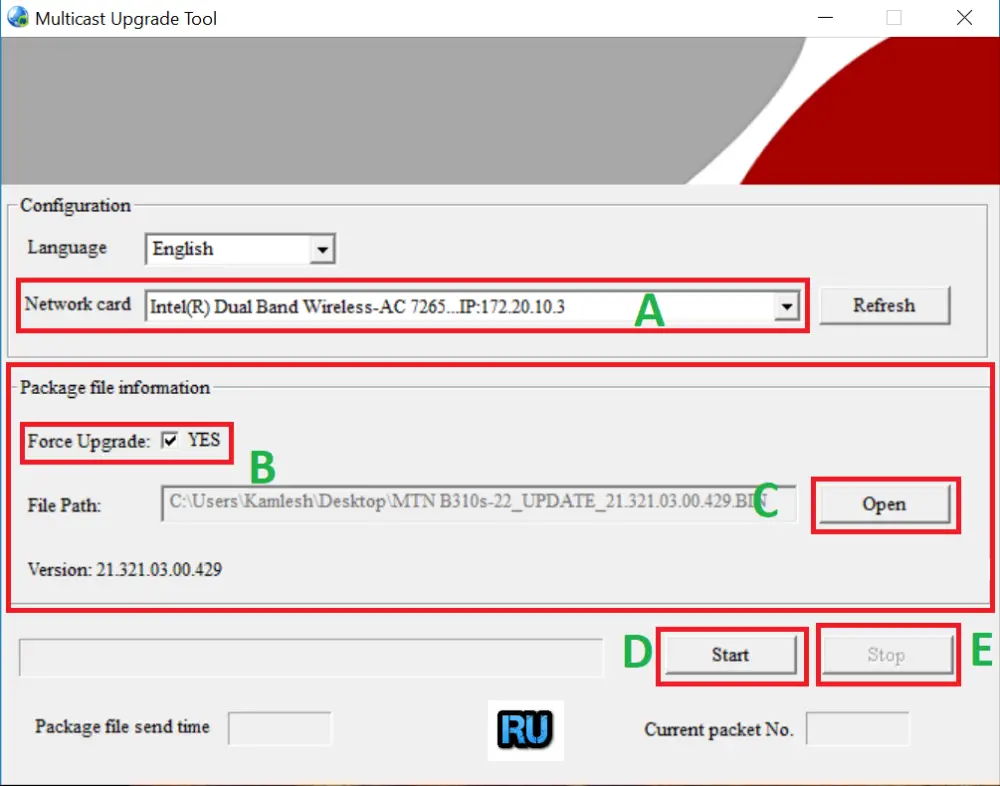
9. Run the downloaded Multicast Upgrade Tool.
10. Select the Network Card of your PC [Marked as A in image].
11. Check “Force Upgrade” [Marked as B in image].
12. Select the BIN file from the downloaded folder [Marked as C in image].
13. Finally, click on Start [Marked as D in image].
14. Now connect the Huawei B310s-518 router to the PC with LAN cable.
15. Switch ON the router.
16. It will start flashing the firmware.
17. When the Network LED on the router will be GREEN, click the Stop button [Marked as E in image].
18. Switch off the router and again switches On.
19. Now run Putty software, which is available in the downloaded folder.
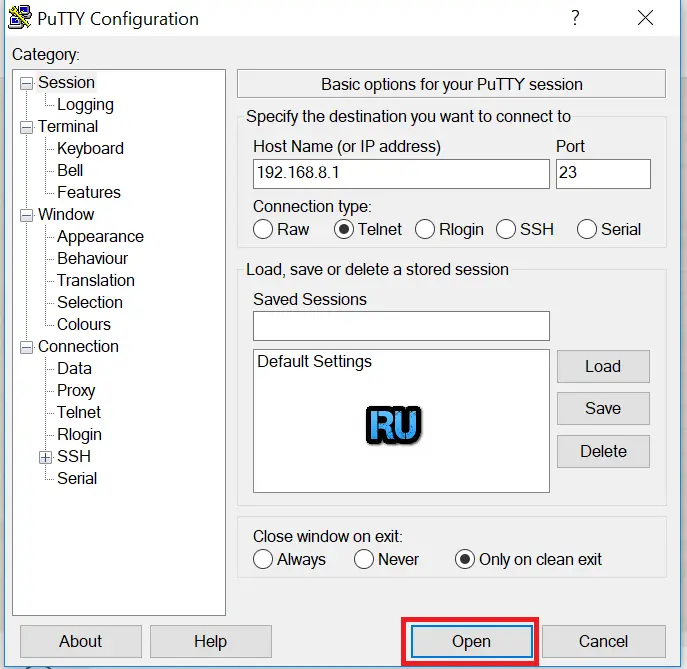
20. Make changes according to the above screenshot in the “Session” menu, but don’t click the “Open” button.
21. Now click on the “Terminal” menu and make the following changes according to the below screenshot:
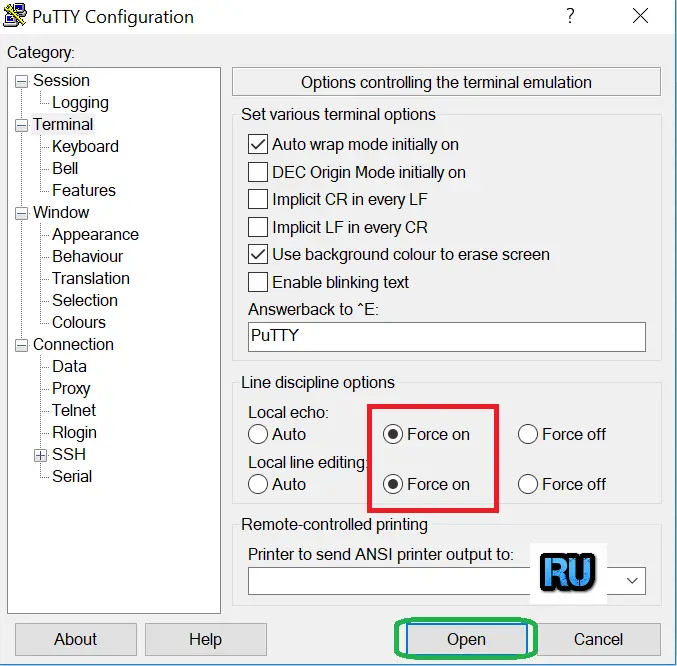
22. Finally, click the “Open” button.
23. It will open a black terminal window.
24. Type the following command:
atc ati
25. Press Enter from the keyboard.
26. Again, paste the following command:
atc at^nvwrex=8268,0,12,1,0,0,0,2,0,0,0,a,0,0,0
27. Press Enter from the keyboard.
Now your Huawei B310s-518 [Firmware 21.333.01.00.46] router is unlocked permanently.
Note: Don’t update the device once it is unlocked. It will be locked again.