How long we need to wait for a Huawei unlock code?
The approximate delivery time for a Huawei unlock code is 10 minutes to 8 hrs.
The average response time for a Huawei unlock code is 30 minutes (based on last 100 orders).
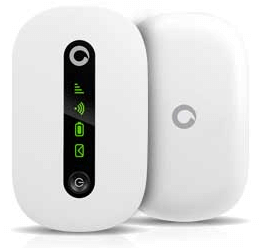
How to Unlock Huawei R206 Vodafone WiFi Mobile Router?
1. Make sure your Huawei R206 Vodafone WiFi mobile router is fully charged.
2. Insert an unacceptable network SIM card on your Huawei R206 Vodafone router (You have to use another network provider SIM, which is currently locked to).
3. After changing the other network provider SIM on your Huawei R206, switch the device on. It will display “Invalid SIM” because you have used other network providers SIM.
4. Now, establish a WiFi connection to the Huawei R206 Vodafone WiFi modem with your PC / IPAD / IPHONE / Android device.
5. Connect your Huawei R206 Vodafone router with PC and go to Vodafone Mobile wifi or http://192.168.0.1 and login to the device’s dashboard. Go to Advanced Settings – SIM Settings – Unlock Device – Enter Unlock Code – Click on Apply.
Or,
Open the Settings – Dial-up – Unlock SIM card – Enter 8 digits unlock code in your Huawei R206 Vodafone WiFi Mobile Router Gateway. Click OK, and the device will reboot to display the new network.
Now your Huawei R206 Vodafone WiFi mobile router is unlocked forever.
Note: Don’t try to insert free or wrong codes into your Huawei R206 Vodafone WiFi mobile router; otherwise, it will be locked permanently.